Connecting to a Campaign
Once connected to your environment, the Add-in automatically directs you to the Campaigns page.
To connect:
Use the search bar to type the campaign name you want to connect to.
⚠️ The campaign must already exist in Advvy.
Double-click the campaign name to connect.
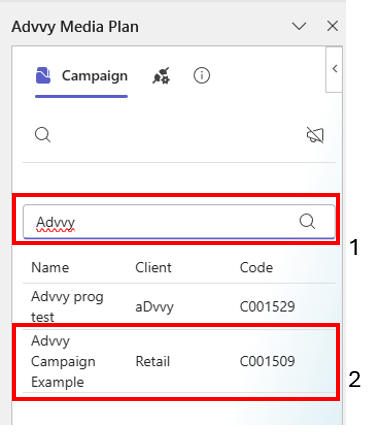
You are now linked directly to that campaign’s data.
To switch campaigns:
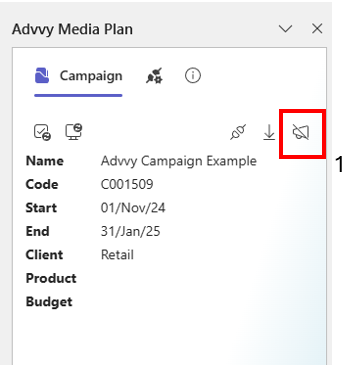
Click the Clear icon on the Add-in to disconnect the current campaign.
Follow the above steps to search and connect to a campaign.
Was this article helpful?
That’s Great!
Thank you for your feedback
Sorry! We couldn't be helpful
Thank you for your feedback
Feedback sent
We appreciate your effort and will try to fix the article