Overview
The Advvy Add-in acts as a bridge between Microsoft Excel and the Advvy platform, enabling seamless two-way communication. It allows you to:
Bring Advvy data into Excel for detailed analysis and manipulation.
Push Excel data back into Advvy, keeping campaign and media plan records synchronized.
This integration streamlines workflows by letting you manage media planning and campaign data directly within Excel, while maintaining Advvy as the single source of truth.
Getting the Advvy Add-in
Open Microsoft Excel.
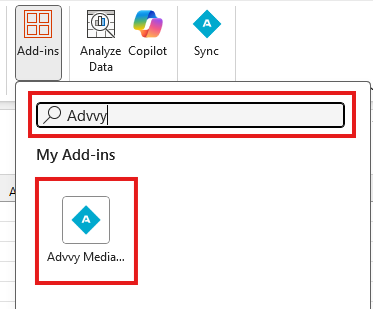
Navigate to Insert → Get Add-ins.
In the search bar, type "Advvy".
Click Install.
Once installed, the Advvy Add-in tab will appear in Excel’s ribbon.

Was this article helpful?
That’s Great!
Thank you for your feedback
Sorry! We couldn't be helpful
Thank you for your feedback
Feedback sent
We appreciate your effort and will try to fix the article