Your campaign's financial view — track spend, filter data, and generate financial reports without leaving Advvy.
What is the Expenditure Plan?
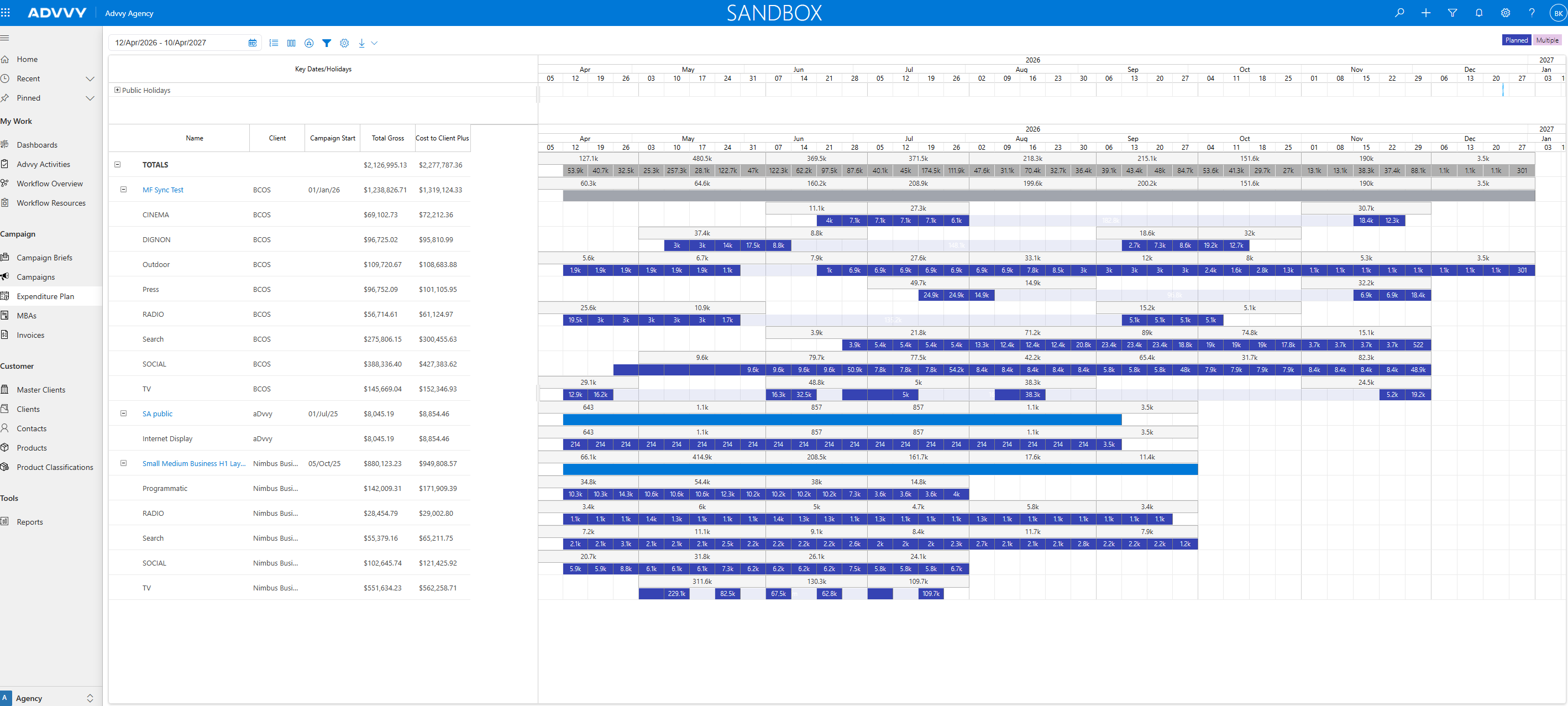
The Expenditure Plan is where you see the financial picture of a campaign. It shows you how budget is allocated, what's been committed, and what's been spent — broken down by media type, time period, or any other dimension you need.
You'll use the Expenditure Plan to check that your campaign spend is on track, to prepare financial summaries for clients, and to export data for reporting.
Where to find it
Inside a Campaign → Expenditure Plan tab
What it shows
Budget, committed spend, actual spend
Grouping options
By media type, period, supplier, and more
Export options
PDF, Excel, Paginated Reports
How Data Gets Into the Expenditure Plan
The Expenditure Plan doesn't require manual data entry — it pulls from the work you've already done in the campaign.
Campaign Flighting
Media plan line items
with dates & spend
with dates & spend
+
Fee Flighting
Agency fees allocated
across periods
across periods
→
Expenditure Plan
Consolidated
financial view
financial view
→
Reports & Exports
PDF, Excel,
paginated reports
paginated reports
Tip: If numbers in the Expenditure Plan look wrong, check your Campaign Flighting and Fee Flighting first — the Expenditure Plan is a read-only summary of what's been entered there.
How to View and Filter the Expenditure Plan
1
Open a campaign
Navigate to Campaigns in the left menu and click on the campaign you want to review.
2
Go to the Expenditure Plan tab
Inside the campaign, click the Expenditure Plan tab. The financial summary will load showing all committed and actual spend.
3
Filter and group your data
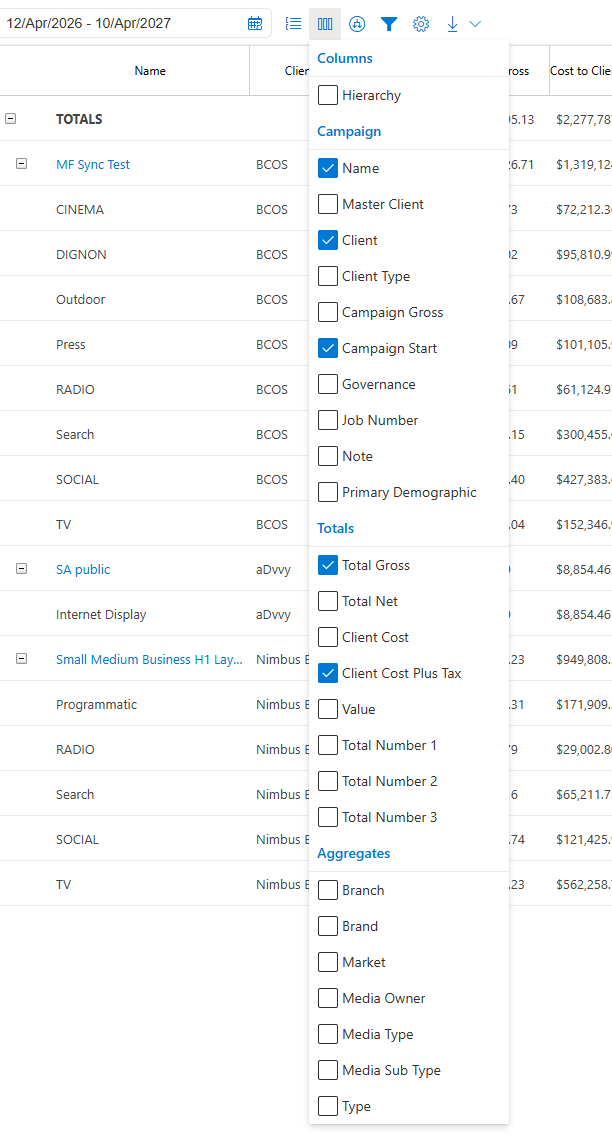
Use the filter and grouping options at the top of the plan to change how data is displayed. You can group by media type, time period, supplier, or other dimensions.
4
Export or generate a report
Click the Export button to download the data as PDF or Excel. For formatted client-ready reports, use the Generate Report option.
Key Takeaways
1
The Expenditure Plan is your financial snapshot. It pulls together everything from Campaign Flighting and Fee Flighting into one consolidated view.
2
It's read-only. You can't edit numbers here — if something's wrong, update the source data in Campaign Flighting or Fee Flighting.
3
Use filters to get the view you need. Group by media type, period, or supplier to answer specific questions about your campaign spend.
4
Export when you need to share. PDF for client presentations, Excel for further analysis, paginated reports for formal deliverables.
Was this article helpful?
That’s Great!
Thank you for your feedback
Sorry! We couldn't be helpful
Thank you for your feedback
Feedback sent
We appreciate your effort and will try to fix the article