Overview
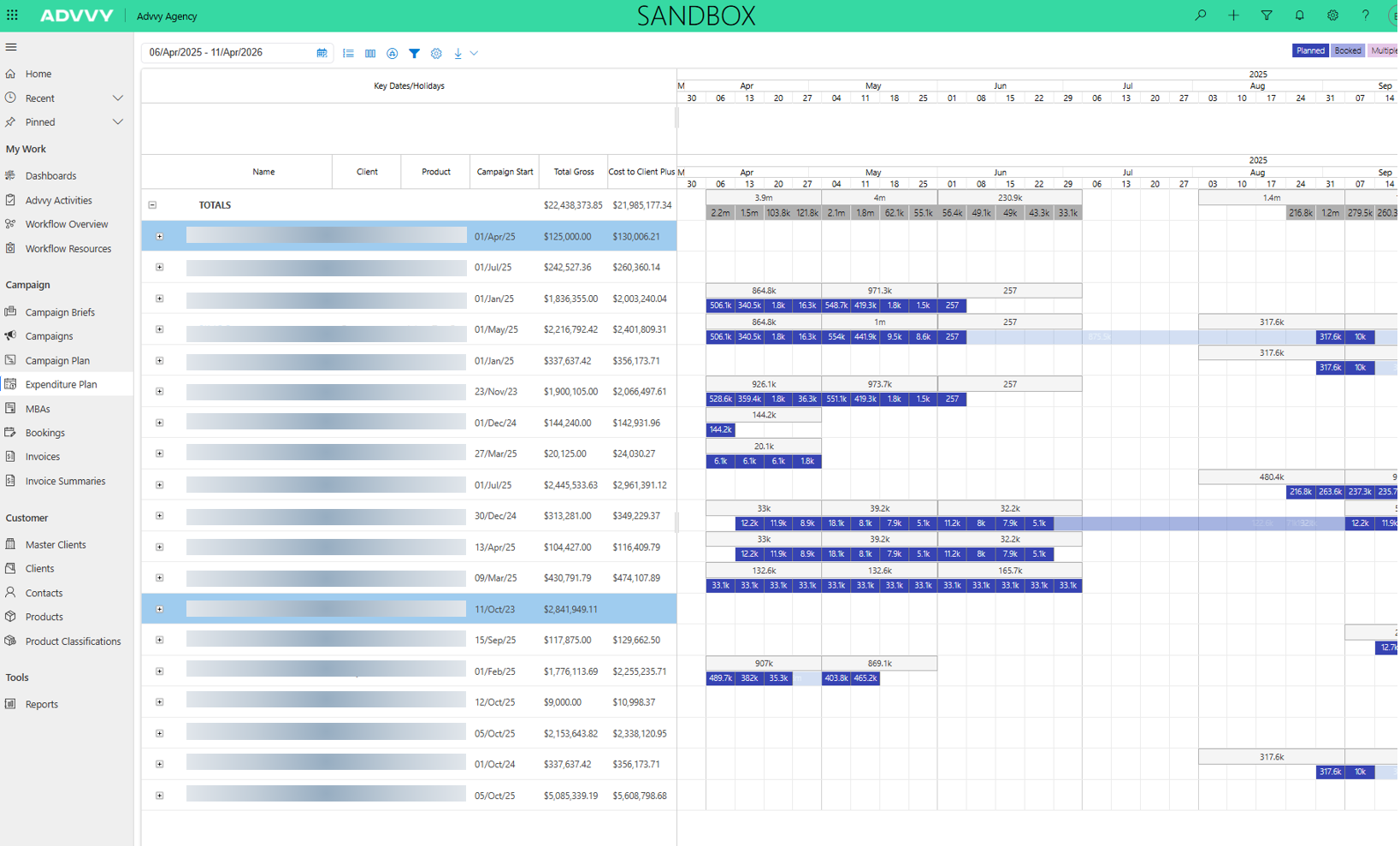
The Expenditure Plan provides a high‑performance, aggregated view of campaign spend over time, with a strong focus on monthly breakdowns.
Unlike Campaign Plan, which is optimised for detailed flight‑level planning, the Expenditure Plan is designed to:
Load efficiently across large numbers of campaigns
Support portal usage where performance is critical
Present aggregated campaign data in a clear monthly format
Layout and Structure
The Expenditure Plan consists of two main areas:
Header (Navigation Bar)
The header contains all controls used to shape and configure the view:
Date range filter
Filters
Group By
Columns
Drill Down
Settings
Export options (PDF / PNG)
Colour legend

Main Screen (Gantt View)
The main screen is split into two components:
Grid (left): Displays grouped and aggregated campaign data
Timeline (right): Displays a fixed‑scale Gantt chart showing monthly breakdowns
Unlike Campaign Plan, the Expenditure Plan uses a fixed time scale and does not allow zooming between day/week/month/year. This ensures consistent monthly representation.
Aggregated Data Model
The Expenditure Plan does not use raw flighting data.
Instead, it is powered by Campaign Aggregates, which:
Roll up campaign flighting data in advance
Enable faster load times
Support portal performance constraints
This design allows the Expenditure Plan to load efficiently even when displaying many campaigns at once.
Was this article helpful?
That’s Great!
Thank you for your feedback
Sorry! We couldn't be helpful
Thank you for your feedback
Feedback sent
We appreciate your effort and will try to fix the article