Exporting the Expenditure Plan
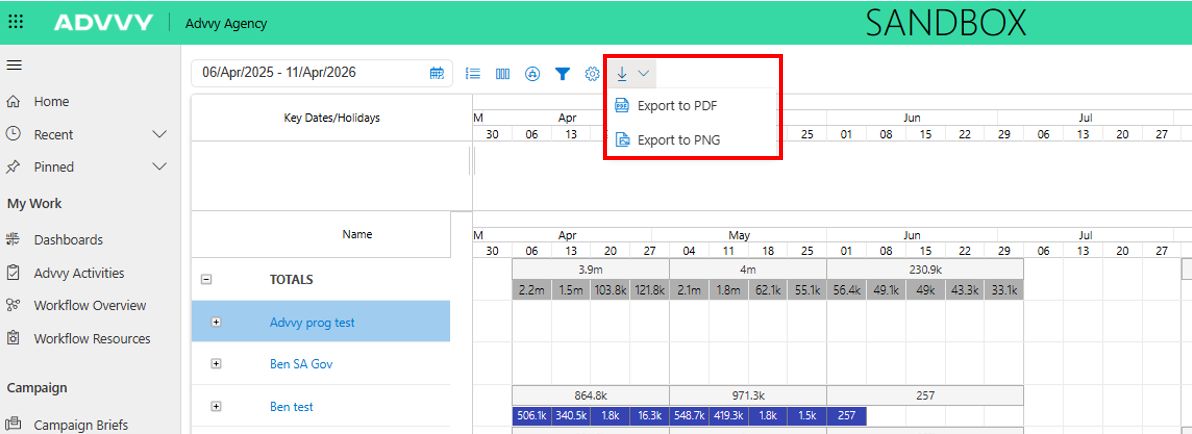
Users can export the current Expenditure Plan view to:
PDF
PNG
Exports reflect:
The current date range
Applied filters and groupings
Selected columns
Active settings
The Expenditure Plan is a self‑service reporting tool, meaning users manually generate exports as needed.
Paginated Expenditure Plan Reports (Power BI)
For clients requiring automated or scheduled reporting, Advvy supports a paginated Power BI version of the Expenditure Plan.
Purpose of Paginated Reports
Paginated reports:
Replicate Expenditure Plan reporting logic
Support scheduled or triggered delivery
Enable automatic email distribution
This approach is ideal for:
Monthly client reports
Recurring stakeholder updates
Event‑driven reporting
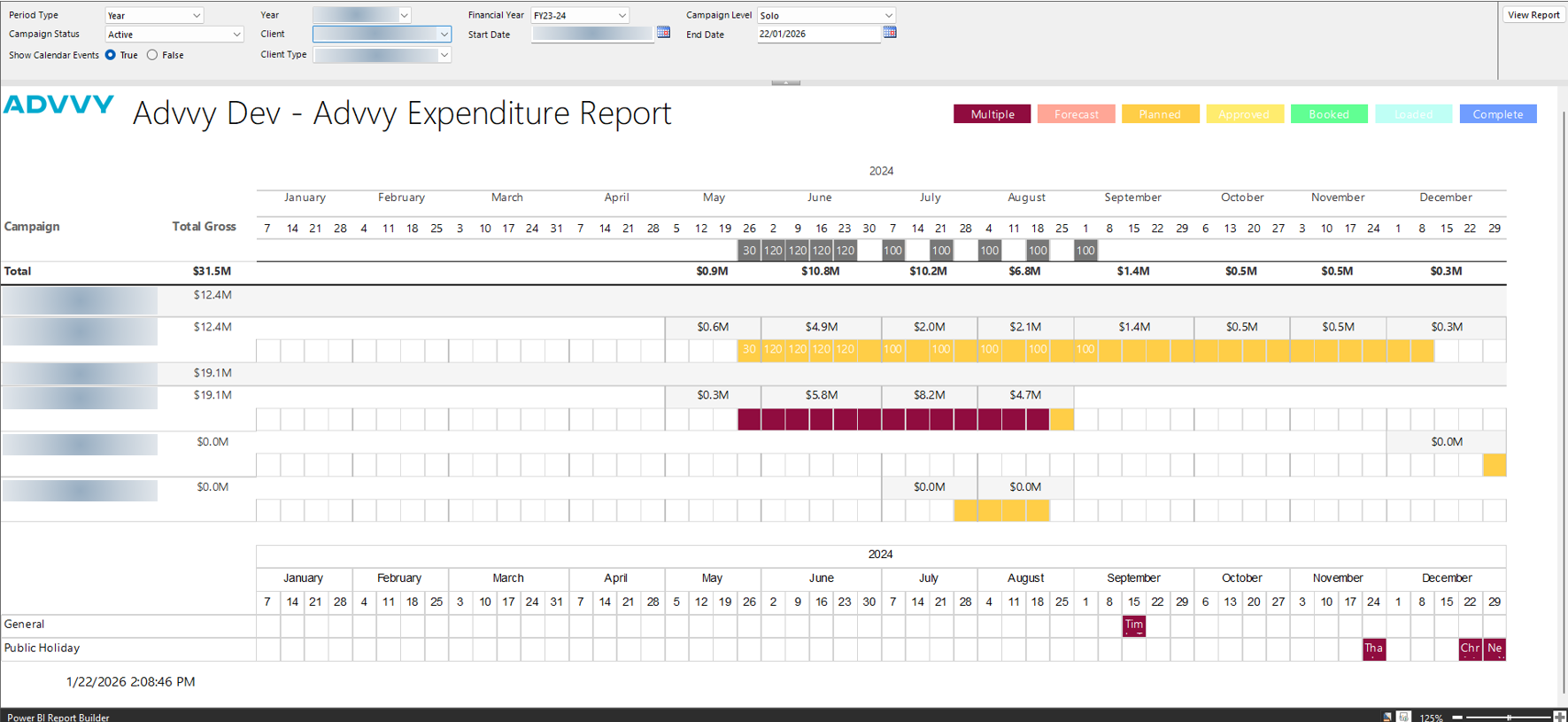
If you require a paginated Expenditure Plan or other bespoke reporting solutions, please speak with your Advvy representative to discuss configuration and setup options.
Key Differences: Expenditure Plan vs Paginated Report
| Feature | Expenditure Plan | Paginated Report |
|---|---|---|
| Access | Self‑service UI | Automated / scheduled |
| Data source | Campaign Aggregates | Campaign Aggregates |
| Export trigger | Manual | Automated |
| Delivery | Download | Email / distribution |
Was this article helpful?
That’s Great!
Thank you for your feedback
Sorry! We couldn't be helpful
Thank you for your feedback
Feedback sent
We appreciate your effort and will try to fix the article