What Are Campaign Fee Flightings?
The time-based record of how campaign fees are distributed across the campaign lifecycle.
What Campaign Fee Flightings Capture
The fields and data included in each Fee Flighting record.
- Start Date and End Date
- Fee Type
- Allocated Fee Amount
- Linked media line or fee component
- Classification fields (client, channel, category)
- Synced directly from the media plan
- Aligned to campaign timelines (not media delivery)
- Weekly segmentation of fee values
- Reflects fee structures in the synced Excel file
Why Campaign Fee Flightings Matter
How Fee Flightings support billing, reporting, and reconciliation.
How to Access Campaign Fee Flightings
Navigate to the Fee Flightings summary table from within any Campaign record.
Navigate toCampaignsin the Advvy left menu.
Select and open the Campaign whose fee flightings you want to view.
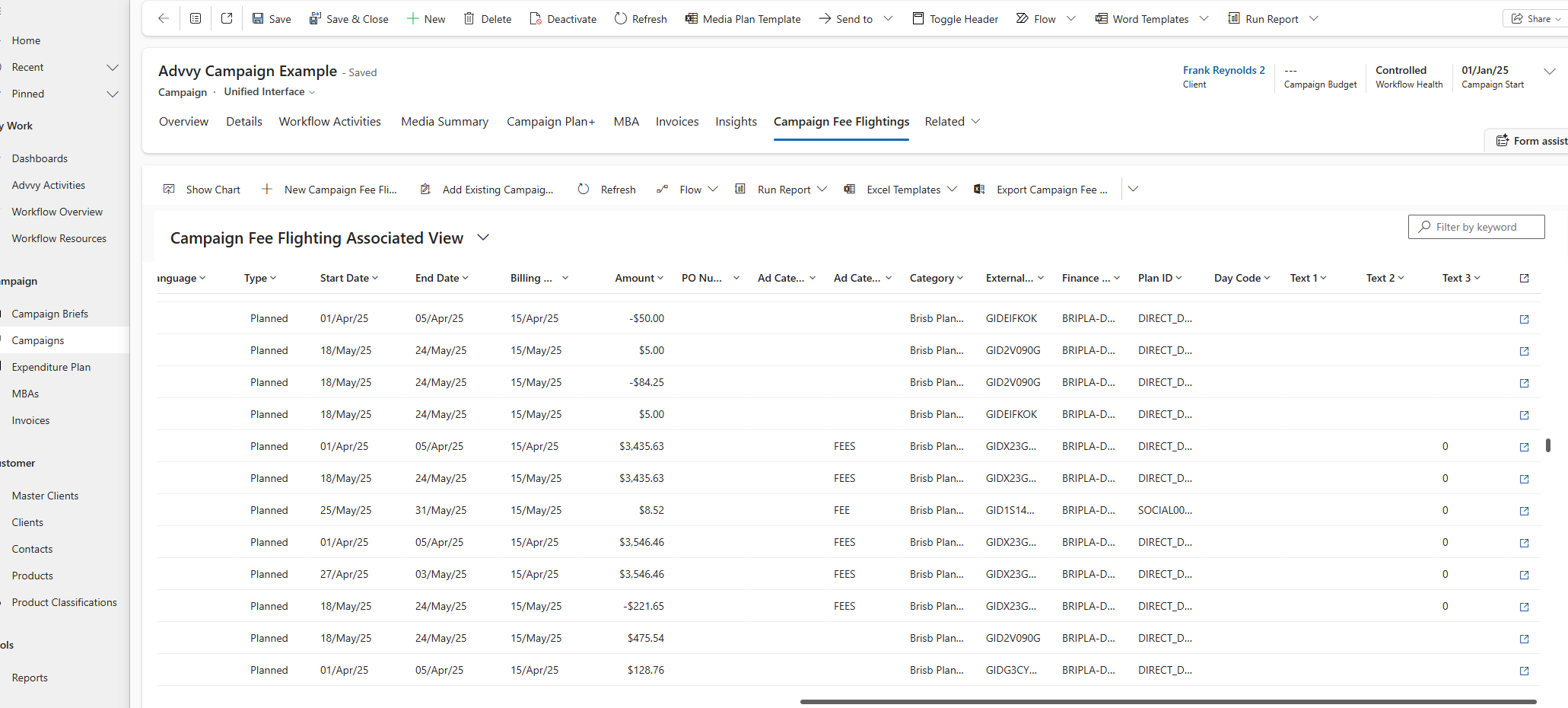
Select theCampaign Fee Flightingstab from the Campaign record navigation. This opens the Fee Flightings summary table showing all fee records for this campaign.
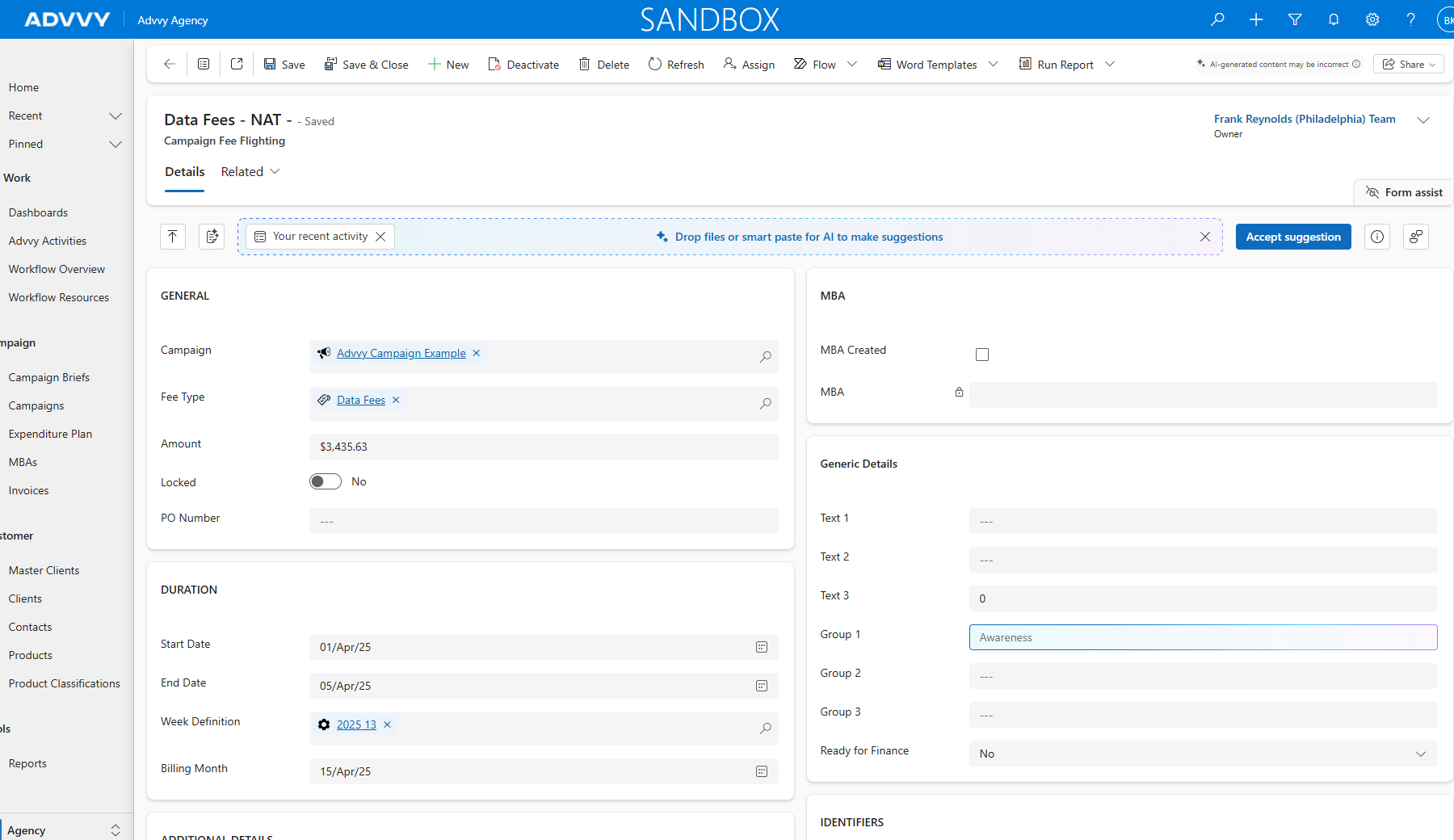
Click any row in the summary table to open the full fee flighting record and see all fields synced from the media plan.
Fee Flightings Summary Table
Key fields visible in the summary table for at-a-glance fee analysis.
Key Takeaways
Was this article helpful?
That’s Great!
Thank you for your feedback
Sorry! We couldn't be helpful
Thank you for your feedback
Feedback sent
We appreciate your effort and will try to fix the article